
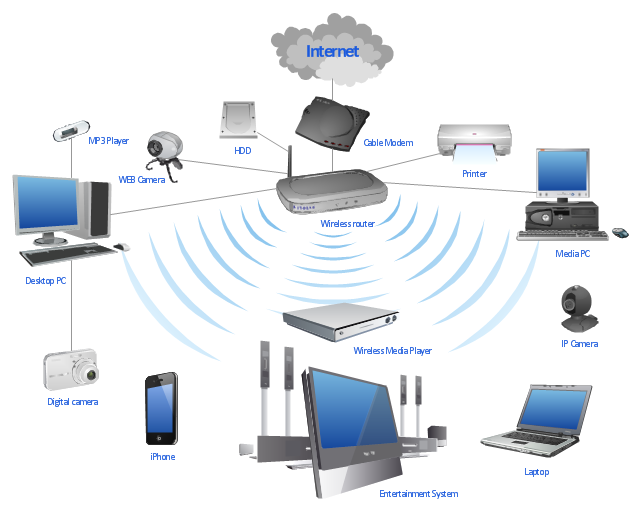
WiFi is an indispensable part of modern life, but long-term exposure to radiation can have negative effects on health. There are a few simple steps you can take to protect yourself from WiFi radiation without compromising your internet connection.
- Move away from the router
WiFi radiation decreases with increasing distance. If your router provides a good long-range signal, place it as far away as possible from where you spend most of your time, especially bedrooms and work areas. Never place the router behind a wall that borders your sleeping area, as walls do not block radiation completely
- Turn off the router at night
The greatest danger from WiFi radiation comes during the night when the body is in the regeneration and detoxification phase. Set a timer to automatically turn off the router during the night, usually from 10pm to 6am, to give your body a chance to rest from electromagnetic radiation. Also, consider using power strips that can turn off all appliances at the same time, further reducing exposure and saving electricity.
- Using the USB adapter remotely
If you are using a USB WiFi adapter for your computer, connect it with a USB extension cable. This strategy reduces exposure to WiFi radiation by increasing the distance between the device and the body. Similarly, extending the USB 3G/4G dongle cable can help reduce radiation.
- Use an Ethernet cable
One of the most effective ways to reduce WiFi radiation is to switch to a wired internet connection. An Ethernet cable offers a stable and fast connection without radiation. Combine that with quality shielded cables to further reduce electromagnetic interference.
- Protect yourself from WiFi radiation from the environment
Unfortunately, you cannot control WiFi devices in your neighbors' homes, but you can install EMF shields as an additional measure. This protection may include lining the walls with special materials or introducing protective nets. However, this is a more complex and expensive endeavor that should be considered as a last resort. (Details about protection)
- Don't use WiFi in schools
One of the most sensitive groups to WiFi radiation are children. Some schools use WiFi systems that produce more radiation than cell towers. Parents should advocate for reducing the use of wireless networks in schools or switching to wired systems.
- Think about alternatives
Ethernet, which transmits the signal through electrical lines, can act as a solution to eliminate WiFi, but such systems generate the so-called "dirty electricity" that can also cause health problems. Therefore, it is recommended to avoid this option when possible.
- Use low radiation devices
There are routers on the market with reduced radiation levels, such as Eco-WiFi routers. These devices offer the same performance as classic routers, but with significantly less radiation when not in active use. This can be a great compromise for those who don't want to give up wireless completely.
- Measure radiation regularly
Use an RF meter to measure radiation levels in your home. This device enables precise monitoring of radiation sources and helps you take adequate steps to reduce risk. Measure radiation levels especially in bedrooms and children's rooms.
Conclusion
Although WiFi technology can hardly be completely eliminated from modern life, it is important to take protective measures to reduce exposure. Moving away from your router, turning off at night, and switching to wired connections are some of the key steps to staying healthy. Also, using devices with low radiation levels and RF monitoring meters can contribute to a safer environment. Finally, information and responsible behavior towards technology are key to long-term health preservation in the digital world.
